 Tools
Tools
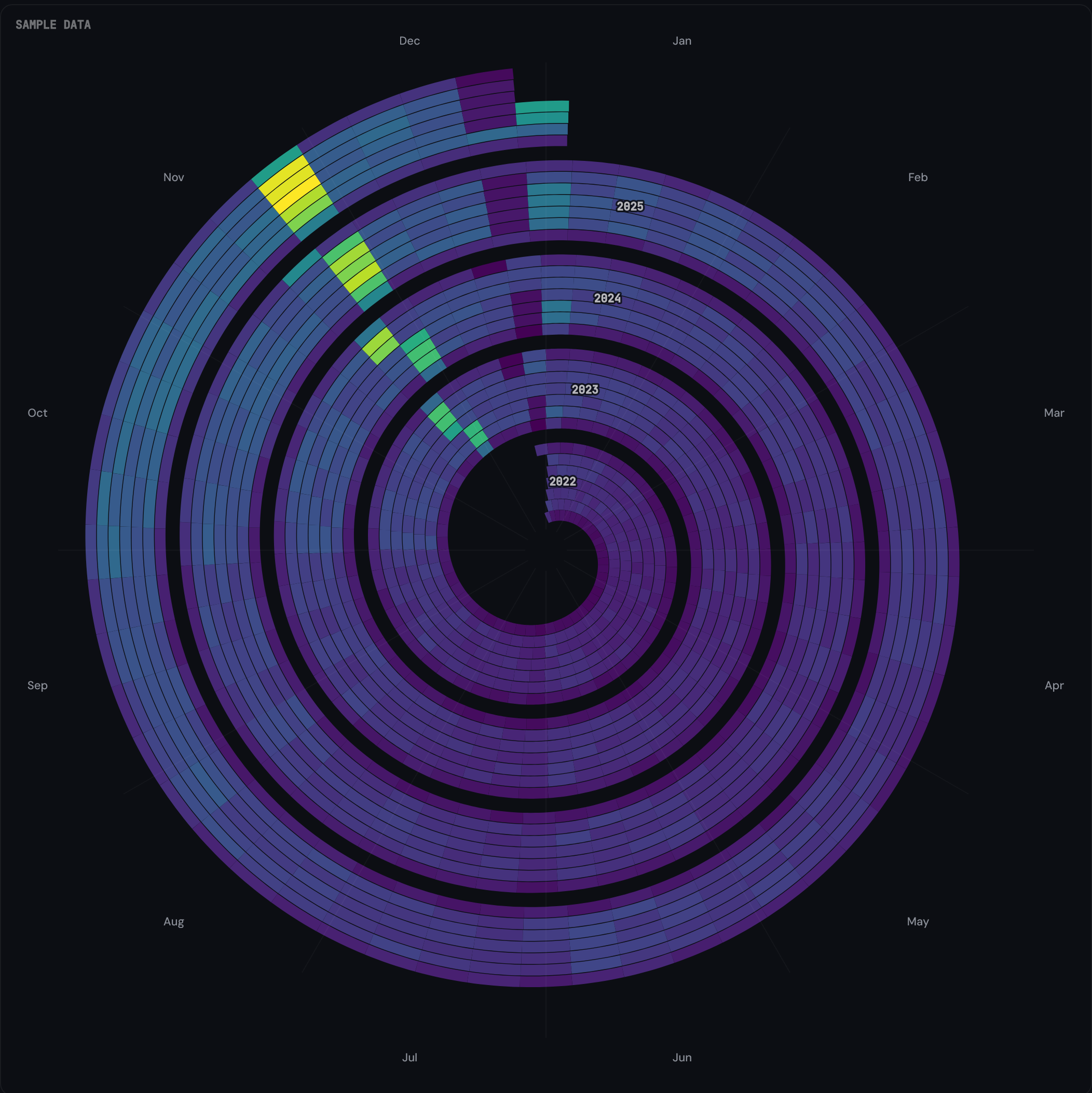
Seasonal Spiral winds daily GA4 or Search Console data into a spiral, one revolution per year. Weekly cadence and seasonal cycles become visible at a glance, and year-on-year shifts sit at the same angle on adjacent rings.
Most useful for analysts and SEOs who already know the headline traffic numbers and want to see the pattern underneath.
Visit tools.datahit.co/seasonal-spiral. The spiral loads immediately with sample data so you can explore the chart before connecting anything.
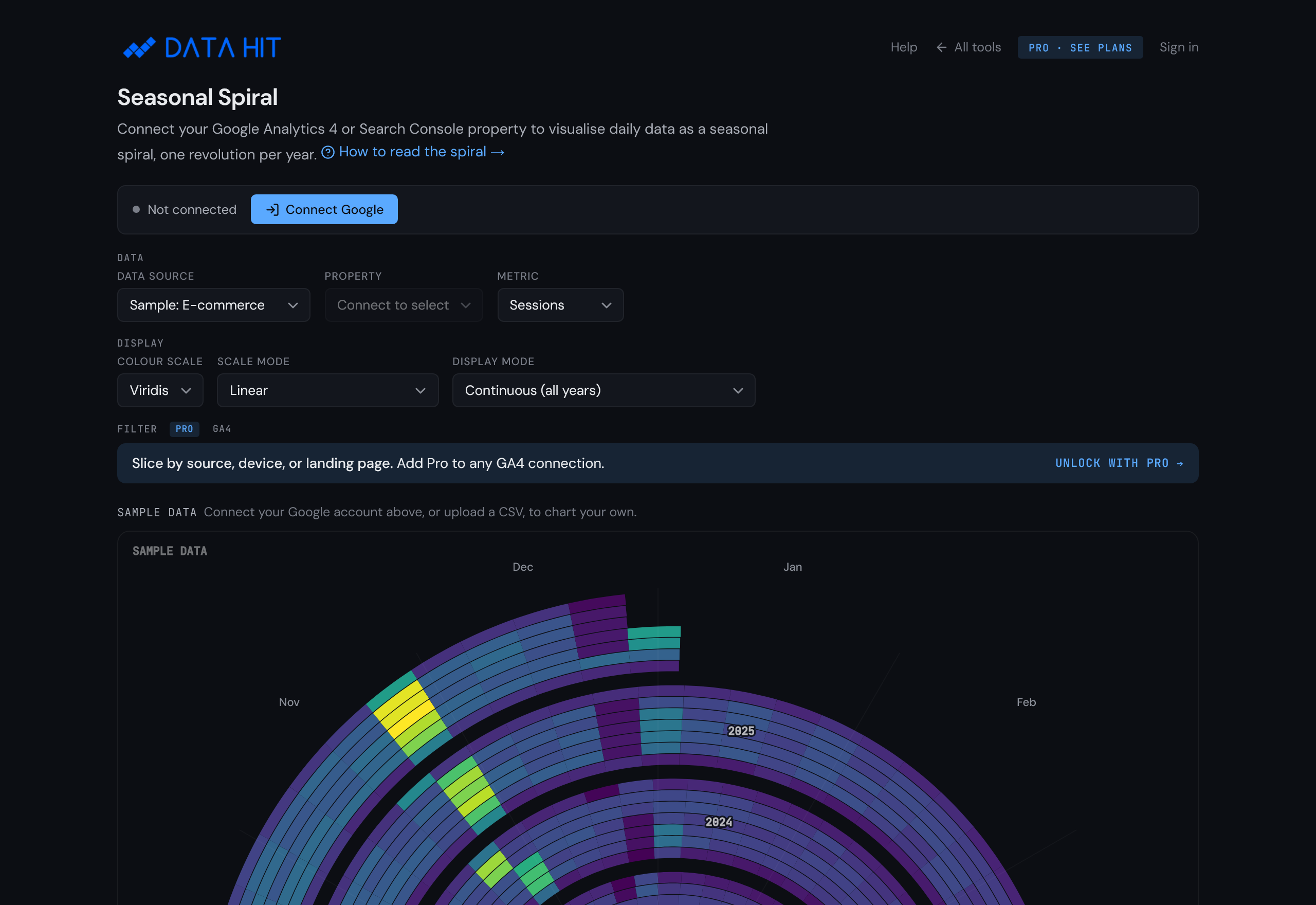
Click Connect Google in the top-left of the tool. The OAuth prompt asks for the read-only analytics.readonly scope. Approve, and the property dropdown populates with every GA4 property you have access to.
Prefer to evaluate first? Skip this step. The sample-data options (e-commerce, B2B, seasonal) give a representative spiral with no data connection required.

Choose a GA4 property from the dropdown. The default metric is sessions; switch to transactions, total revenue, or event count from the metric selector. The spiral re-renders in under two seconds.

The spiral has three encodings: angle, radius, and colour.
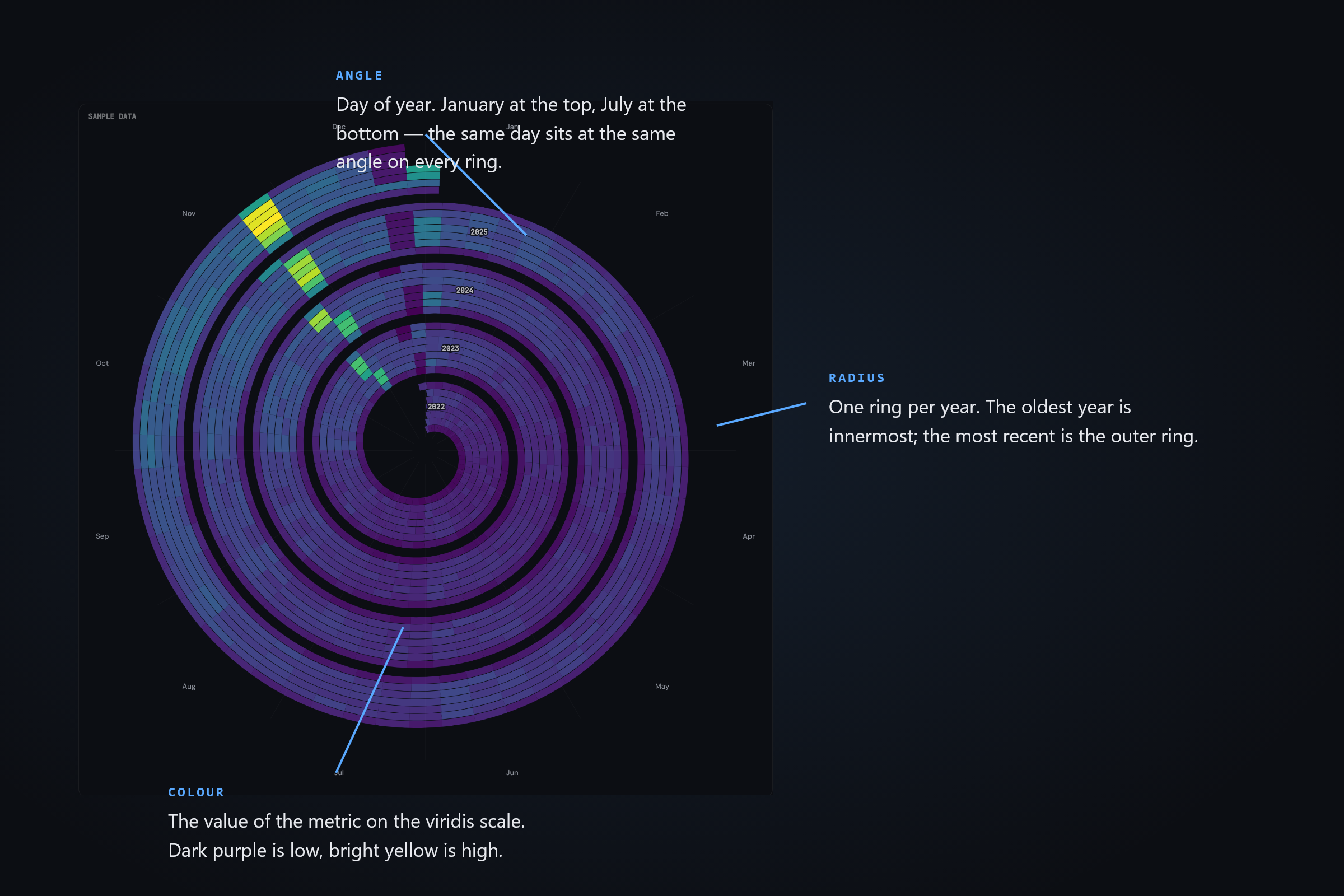
A retail GA4 property typically shows a bright cluster around late November on the outermost (most recent) ring, with a dimmer cluster at the same angle on the inner rings for historical Black Fridays. The spiral keeps these year-on-year comparisons spatially adjacent.
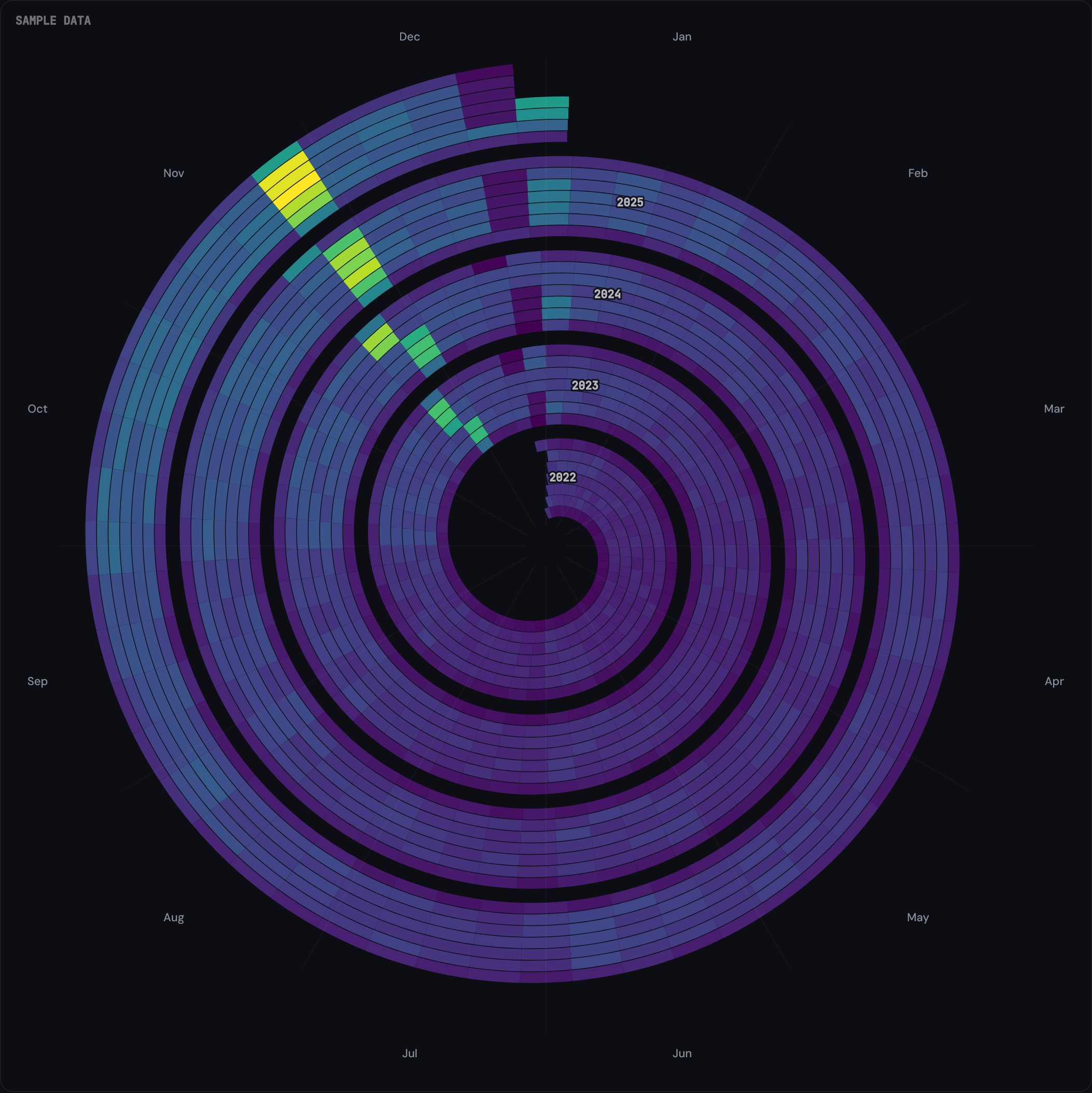
Travel and retail sites show a bright band in the same months every year — a summer peak for tourism, a Q4 lift for retail. Because the season lands at the same angle on each ring, a growing business shows the band brightening outward; a fading one shows it dimming ring by ring. (B2B sites often show the inverse: a dim summer crescent around the 6 o'clock position.)
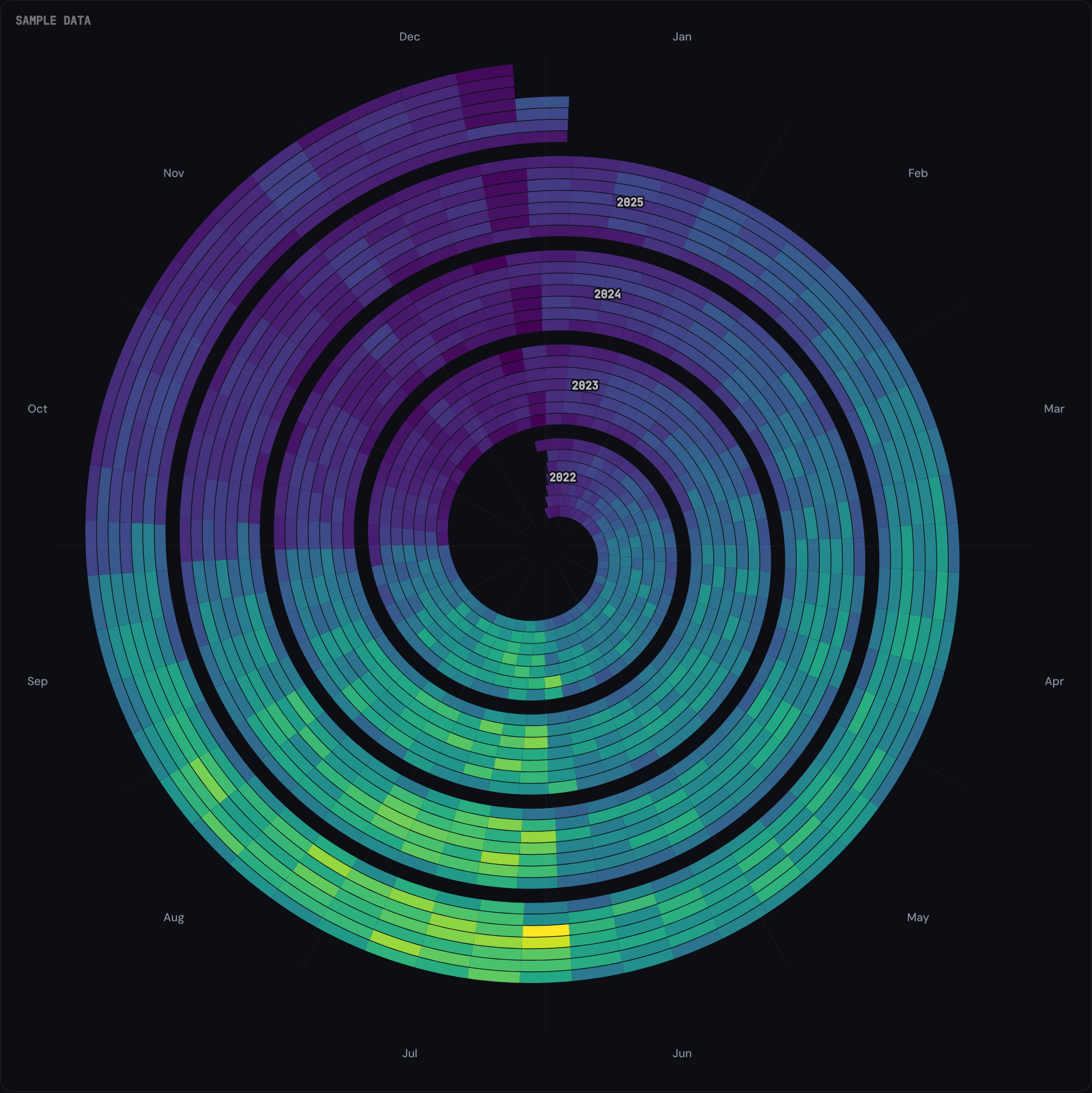
Compare the inner and outer rings at the same angle. If most outer-ring cells are brighter than their inner-ring counterparts, the metric is trending up. The spiral makes this visible per-week rather than as a single trend line.
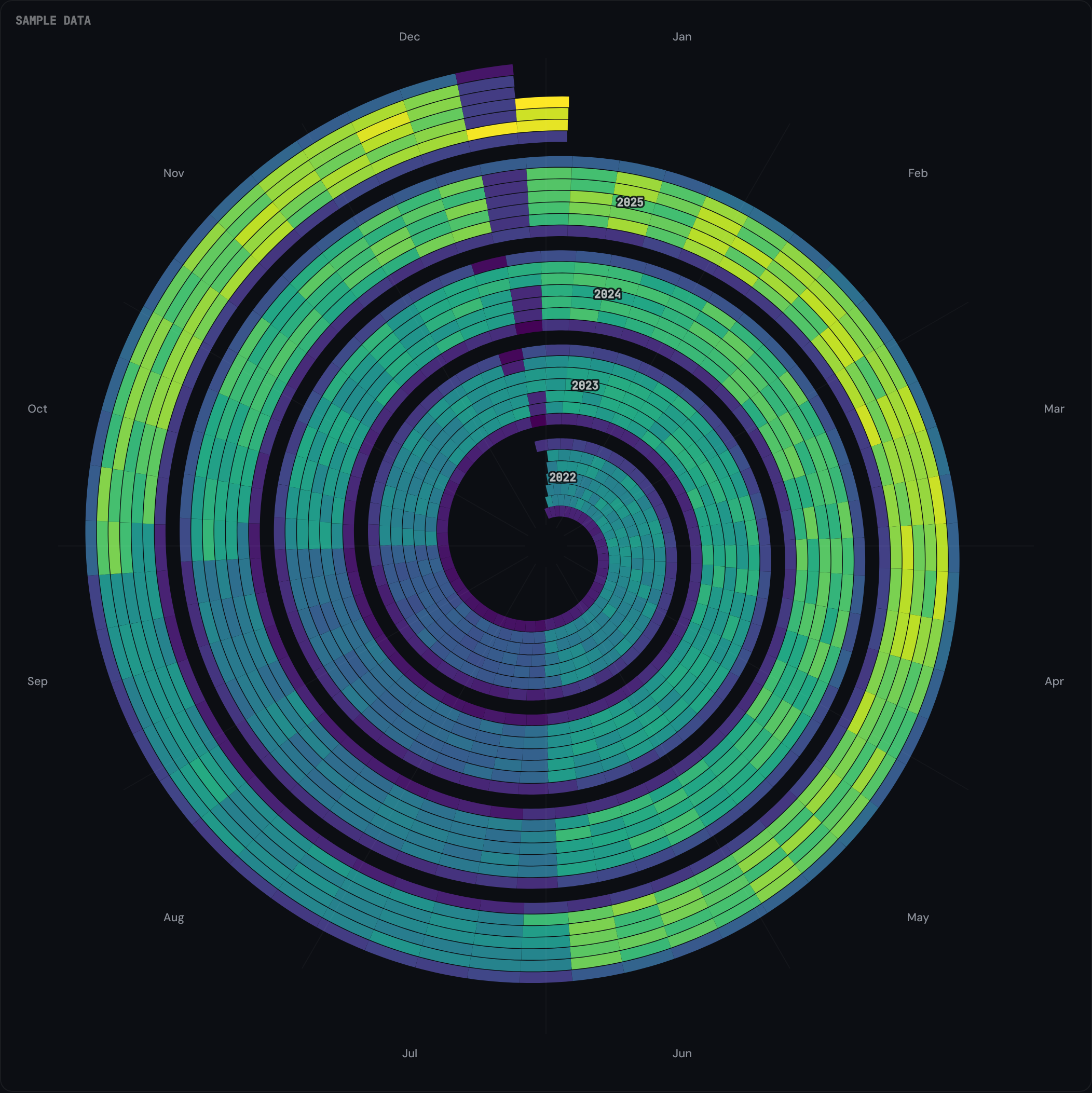
The tool fetches daily aggregates from your selected GA4 property using the GA4 Data API (runReport) with the date dimension and your chosen metric. Up to five years of history is requested. The data comes back as a JSON array of {date, value} pairs.
Spiral geometry is computed in your browser. Each cell is an annular wedge whose angular start and end are derived from day-of-year, and whose inner and outer radii are derived from the year. Cell colour is interpolated against the viridis ramp based on the metric value's percentile within the dataset. No raw data leaves your browser.
The OAuth scope requested is analytics.readonly: read-only access to your GA4 properties. No write permissions are requested.
The access token returned by Google is held in browser memory for the session only. When you close the tab, the token is gone. No DATA HIT server sees your GA4 data.
The Pro tier (paid, optional) stores saved view configurations (property ID, metric choice, colour scale, day-of-week filter) so you can return to a setup later. Pro does not store raw analytics data. See Privacy policy for the full mapping.
No. The spiral connects to Google Analytics 4 only. Universal Analytics stopped collecting data on 1 July 2023 and its API was retired on 1 July 2024.
Up to five years by default, depending on how far back your GA4 property has data. The spiral renders one revolution per year, so three years of data shows three concentric rings, five years shows five.
Sessions, transactions, total revenue, and event count (with an optional event-name filter for events like generate_lead). The colour scale (viridis by default) maps the chosen metric's value to each cell's fill.
On Tools Pro, once you have set brand terms for a Search Console property, the spiral compares your non-branded searches over the last 90 days with the 90 days before. If non-branded clicks fell by 8% or more, on at least 100 clicks, one line under the spiral says which pattern the figures fit: a ranking drop (average position slipped), fewer people searching (impressions fell, position held), or Google answering more of these searches on the results page (clicks fell while impressions and position held, which fits AI Overviews). When none fits, it says so and names what moved. Average position is across all your non-branded searches, and seasonal sites shift between seasons, so check your top queries and the same months last year before acting. Why? shows the four figures and a chart. Search Console can't say which results-page feature took the click. The cross hides the line for that property until the pattern changes. To see it without a connected property, choose Sample: Search Console as the data source.
Yes, on Tools Pro. With a Search Console property selected, the Filter section offers Queries: all queries, non-branded or branded. The first time you pick a split it suggests your brand from the site's domain; edit the terms and apply them. They are remembered for that property in this browser and saved with your presets. A query counts as branded when it contains a brand term, ignoring case, spaces and punctuation; only the letters a to z and digits are compared. Searches Google hides for privacy count as non-branded, so branded plus non-branded always adds up to the total.
PNG export is available from the tool's controls (the export icon in the top-right of the chart). CSV export is on the Pro tier.
It fetches up to five years of daily data from your GA4 property and computes the spiral geometry client-side. Typical render time is under two seconds; very large properties or slow connections may take a few seconds longer.
No. The OAuth handshake routes through Google directly; the access token returned is held in browser memory for the session only. Chart computation and rendering happen client-side. There is no DATA HIT server in the data path.