
How to use the SERP Seasonality Map.
The SERP Seasonality Map draws 12 months of Google's top 10 for any keyword as a colour-coded spiral. Domains that hold ground year-round look different from domains that churn seasonally, and seasonal entrants are visible at a glance.
What this tool reveals
- SERP composition. Each domain in the top 10 gets a stable colour. One look at the spiral tells you how many distinct domains compete for the keyword across the year.
- Domain durability. Domains that hold the same position month after month form long radial bands of one colour. Domains that come and go form short bursts.
- Seasonal entrants. A new domain appearing in autumn and disappearing by spring shows up as a coloured wedge in a specific angular sector.
- Position drift. A domain moving from position 8 to position 3 shifts radially outward over consecutive months, visible as a curving colour band.
Most useful for in-house SEOs and content consultants asking "which competitors are sticky, which are vulnerable?" before committing to a content investment.
Setup in three steps
-
Open the tool
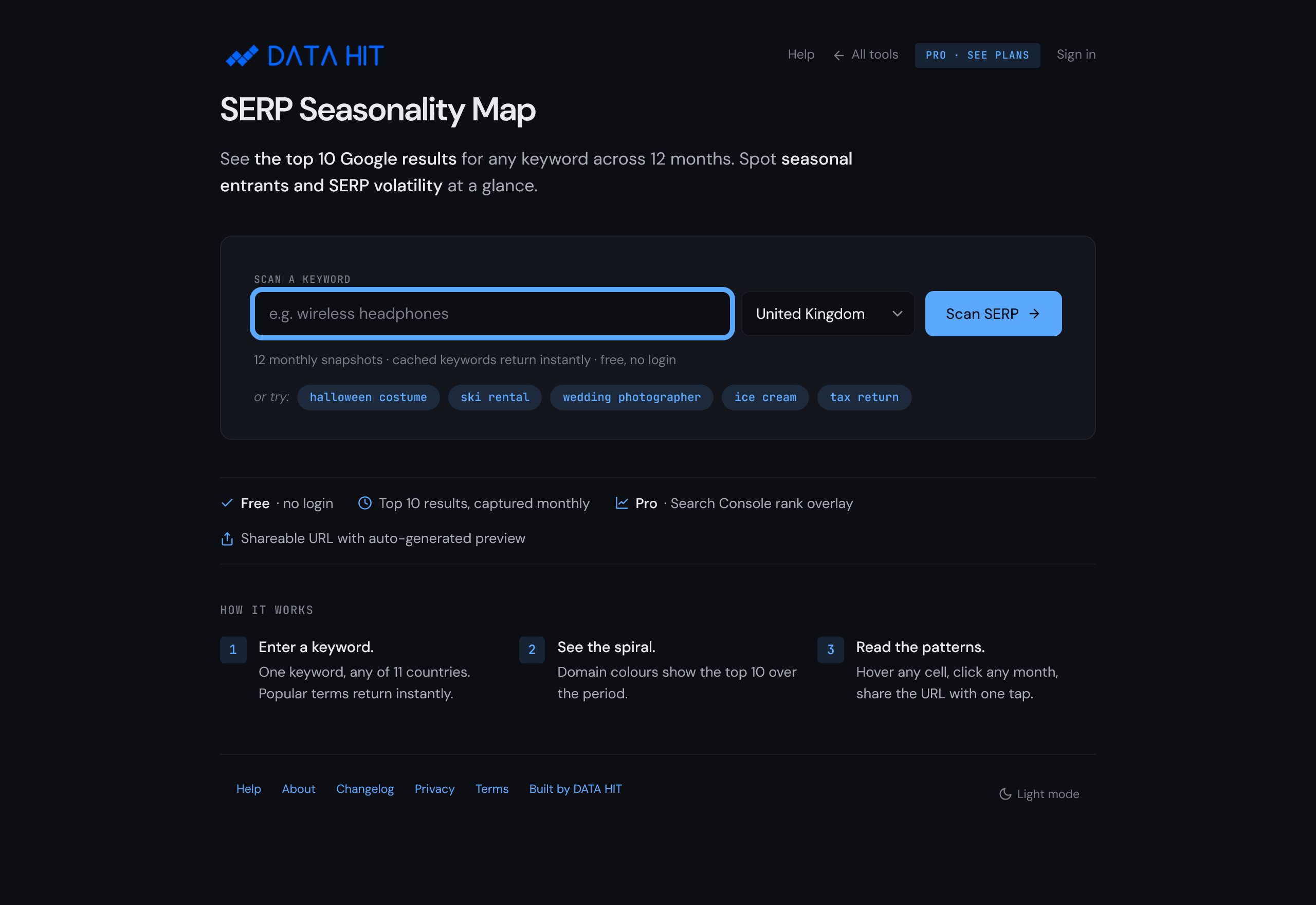
Visit tools.datahit.co/serp-seasonality. The landing screen shows a keyword input and a country selector. No sign-up required.
-
Enter a keyword
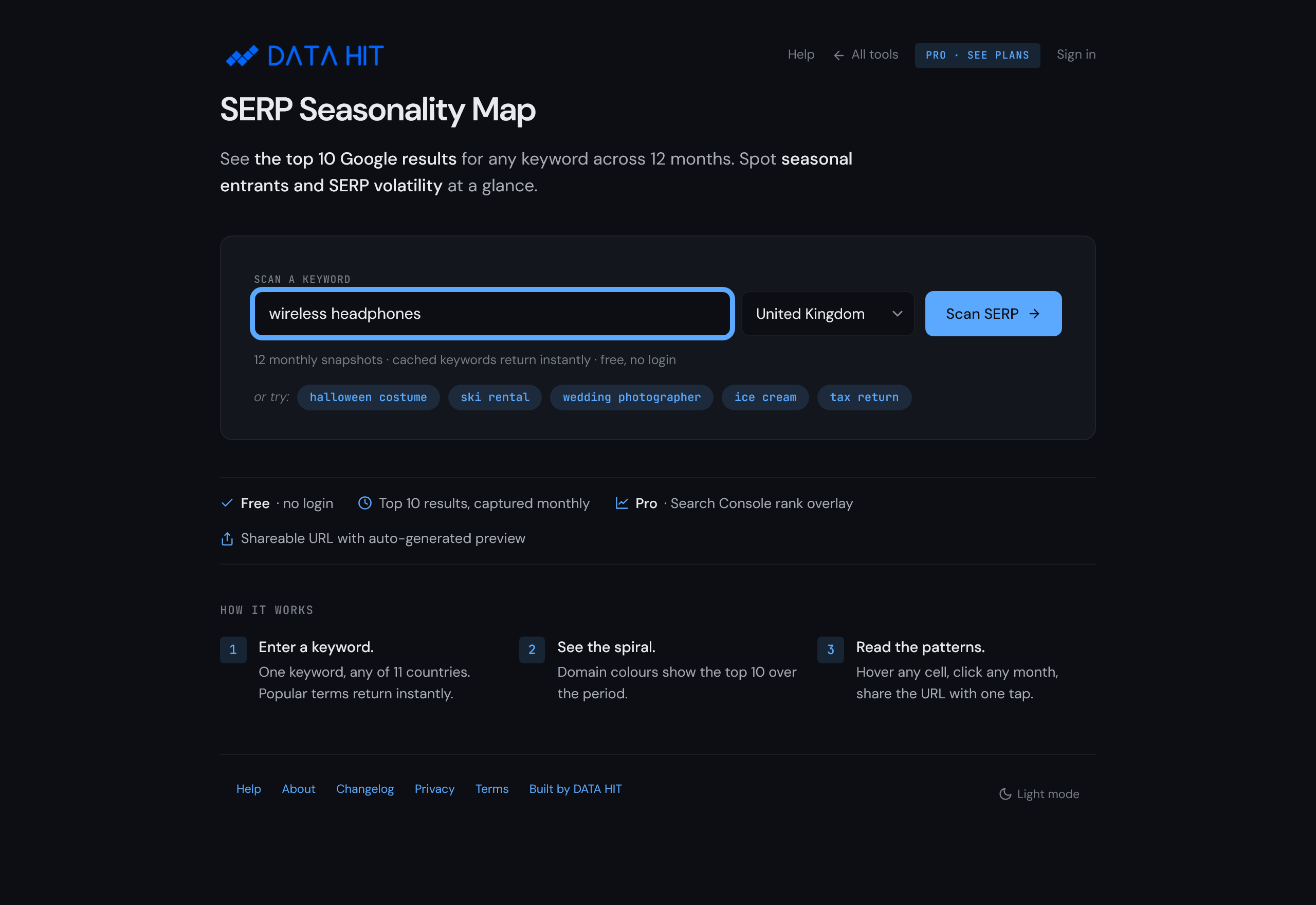
Type any English-language keyword. Pick a country (UK, US, AU, CA, IE, NZ, plus several European markets). Hit Scan. The first scan for a given keyword takes 10-15 seconds; cached keywords return instantly.
-
Read the spiral
The result page shows the spiral, a Top 10 Domains panel with each domain's share, and a "What this reveals" summary. Click any domain in the legend to highlight its trajectory across the spiral.
How to read the chart
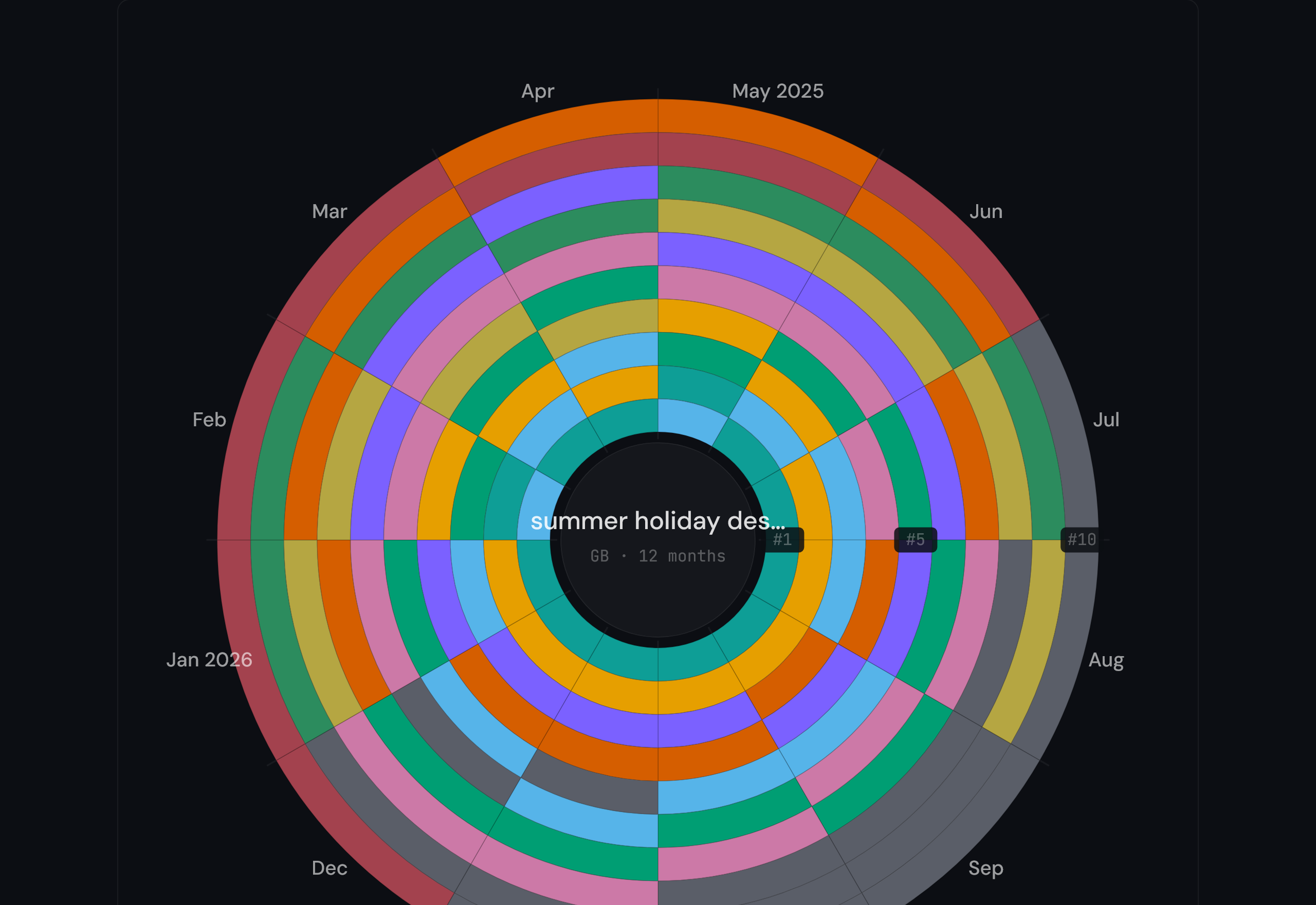
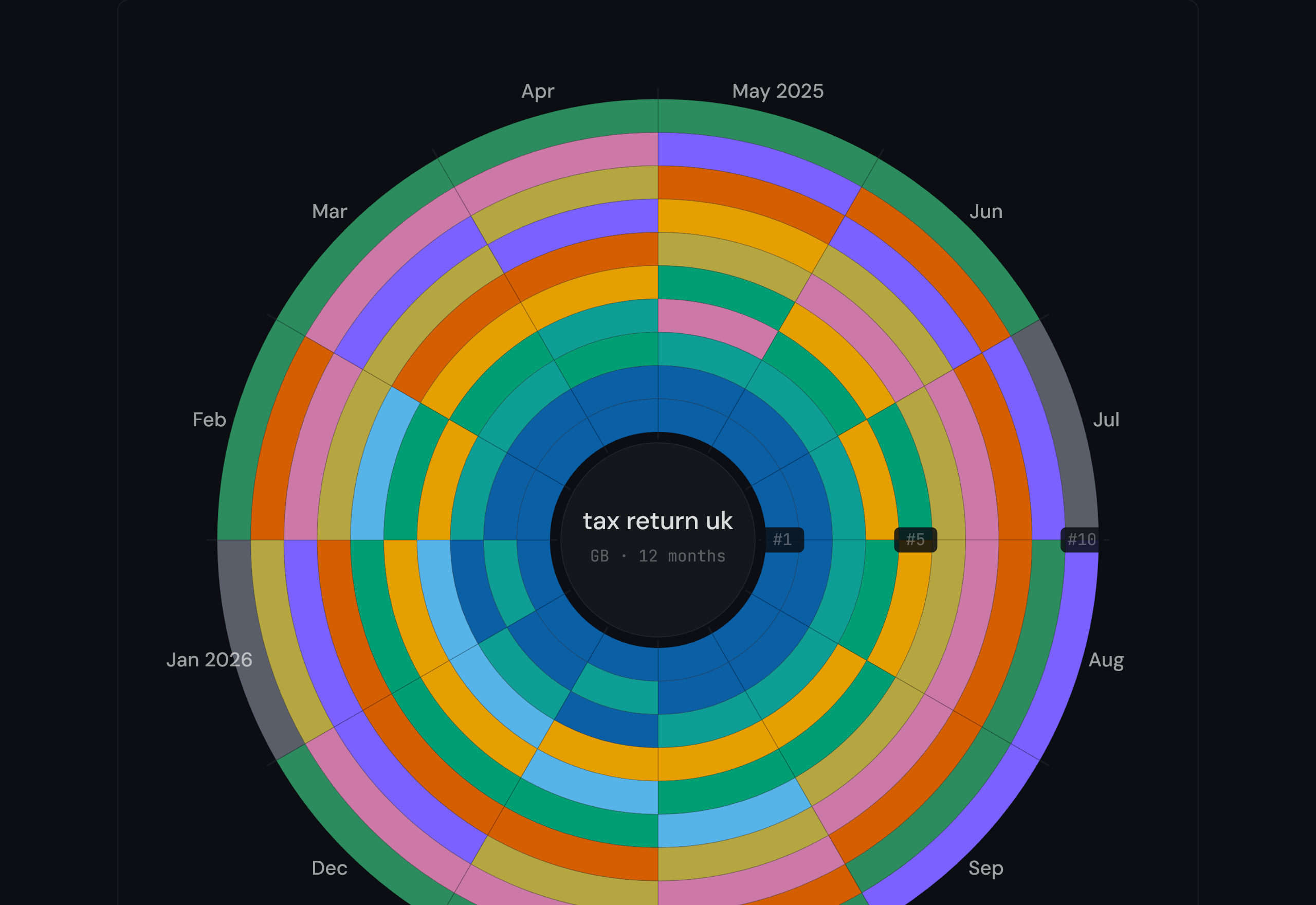
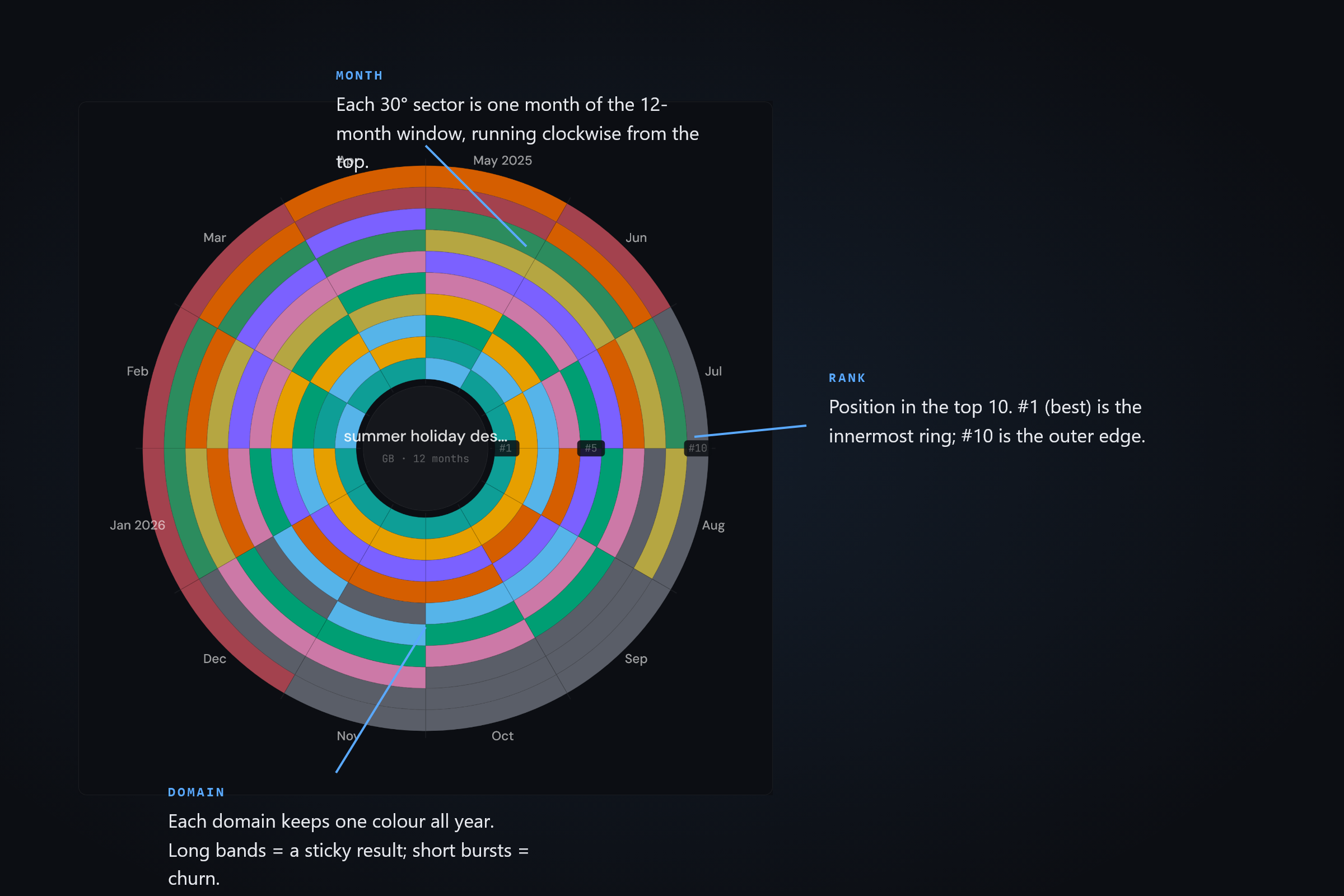
The spiral has three encodings: angle, radius, and colour.
- Angle encodes month. The first of the 12 months sits at the top; each 30-degree sector is the next month, running clockwise round the year.
- Radius encodes rank position. The innermost ring is position 1 (best); the outermost ring is position 10. A domain dropping in rank moves outward; rising in rank moves inward.
- Colour encodes the domain. Each unique domain in the top 10 across the year gets a stable colour from the DATA HIT visualisation palette. Well-known domains (amazon.co.uk, gov.uk, google.com, and similar) carry fixed brand-aligned colours; other domains draw from a colourblind-safe categorical palette.
Sample insights
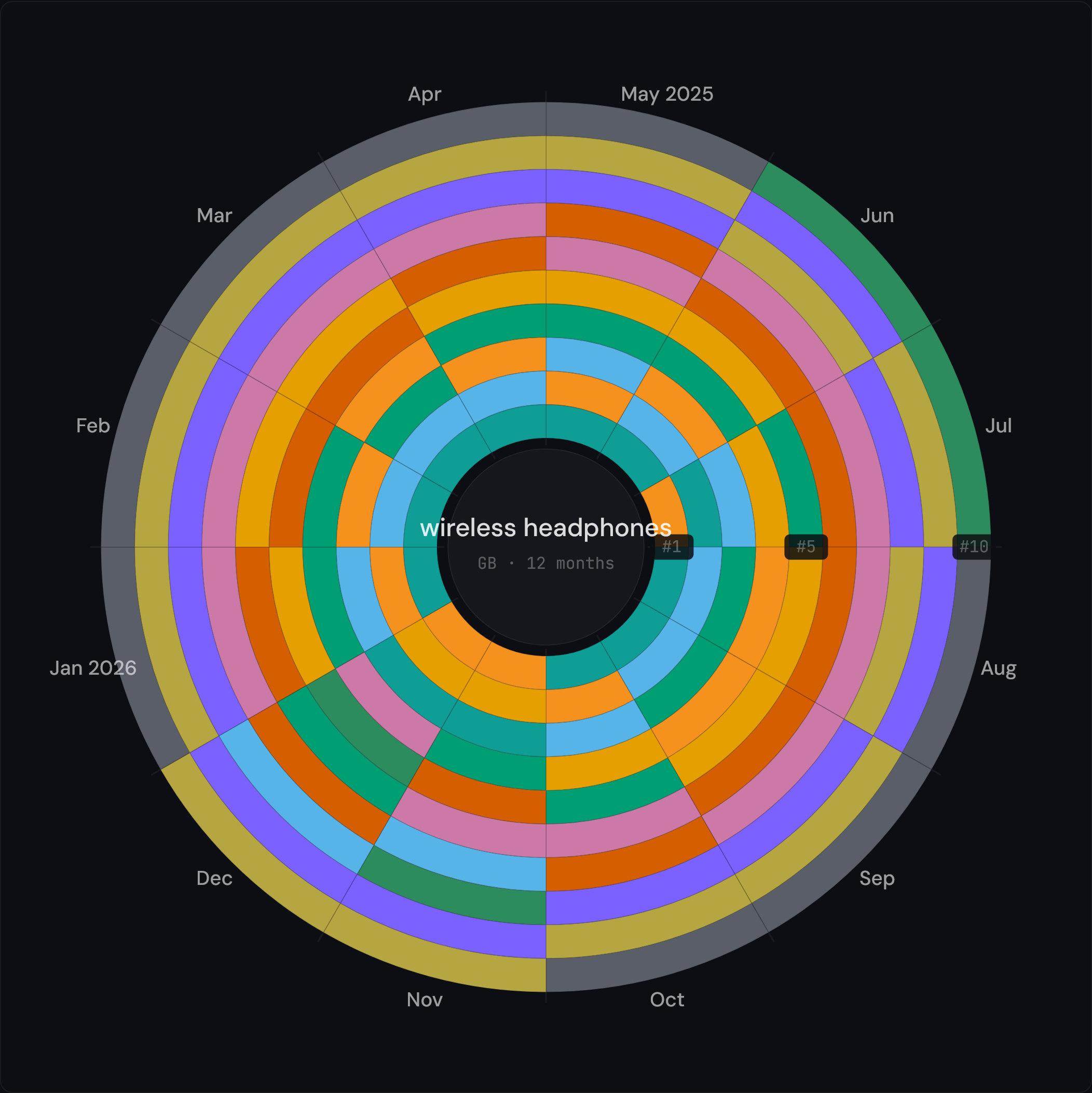
Seasonal entrant
Scan "wireless headphones" (UK). which.co.uk holds the top ring most of the year, but Black Friday deal pages from amazon.co.uk and currys.co.uk surge into November and December, and argos.co.uk drops out in October before the holiday push brings it back. The seasonal entrants show as short Q4 wedges against the year-round bands.
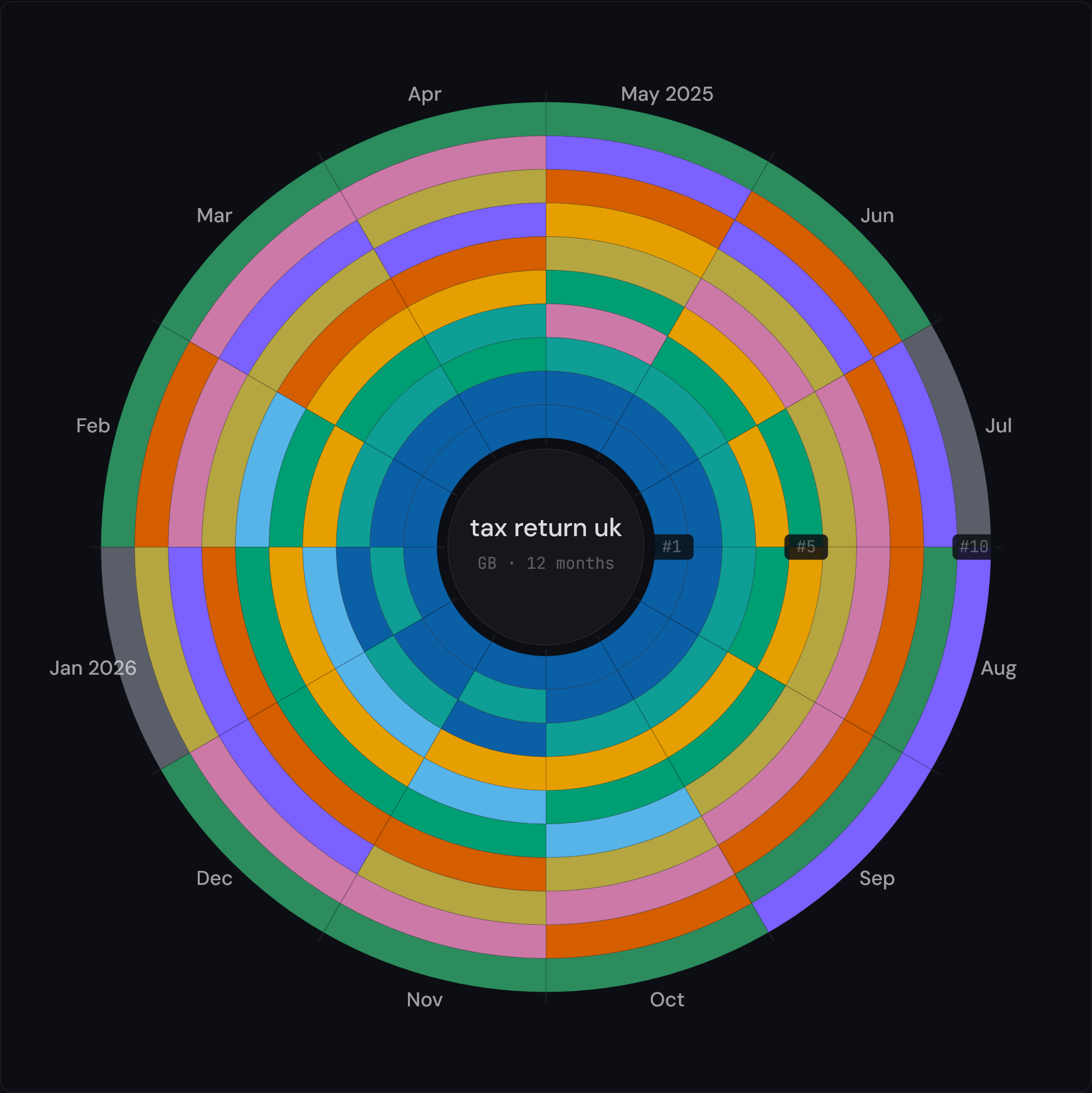
Sticky competitor
Scan "tax return uk" (UK). gov.uk holds the innermost #1–2 rings every single month — one long, continuous colour band that tells you the top of this SERP is effectively locked and won't move for short-term content. (The January deadline still stirs the outer rings, but the core stays put.)
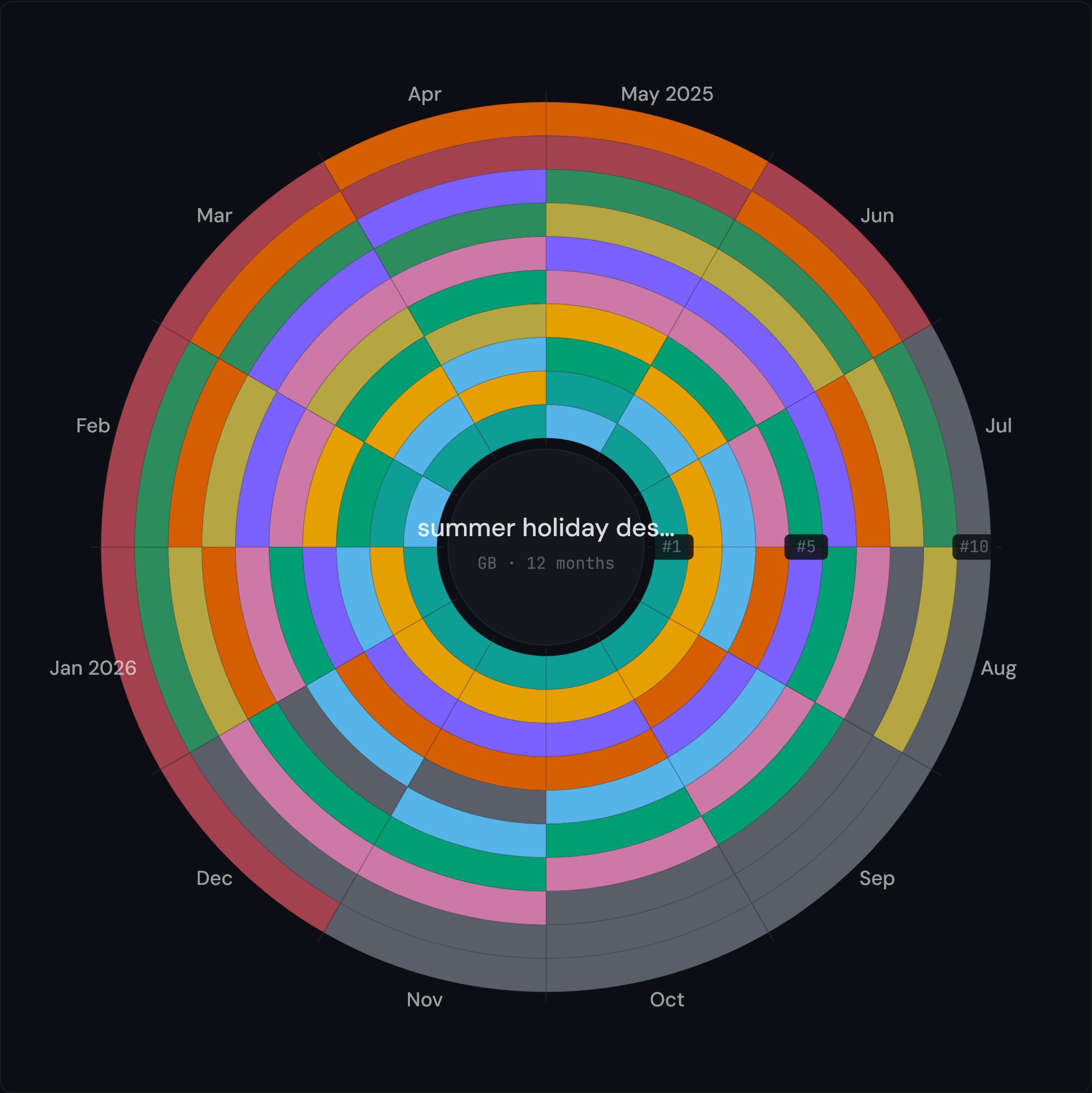
Volatile SERP
Scan "summer holiday destinations" (UK). theguardian.com, telegraph.co.uk and timeout.com swap positions almost every month — no single publisher wins — so the spiral is a busy patchwork of short colour bursts. High churn means there is room to enter, and equally room to be displaced.
Methodology
For each scan, the tool fetches 12 months of historical SERP data from a third-party SERP data archive for the chosen keyword + country pair. The archive captures Google's organic top results monthly; the tool uses the most recent snapshot for each month.
The result is an array of {month, position, domain} tuples. Each domain gets a stable colour: well-known sites (amazon, gov.uk, google, youtube, and similar) pull from a hardcoded brand-colour map, everything else from a colourblind-safe Okabe-Ito categorical palette. Spiral geometry is computed client-side: each cell is an annular wedge whose angle is the month and whose radius is the rank position.
The "What this reveals" summary at the bottom of the result page is generated by an LLM (Claude family) reading the structured tuples. Treat it as an analyst's first-pass observation, not a verified fact. Verify against the data itself before quoting.
Data freshness, coverage, and limits
The archive updates monthly. Most scans show data up to the previous month; very recent SERP shifts may not be reflected yet.
Free-tier limit: 10 scans per minute per IP. Cached scans return instantly and don't count against the limit. See Terms of use for the full fair-use policy.
Coverage is strongest for English-language keywords in the US, UK, AU, CA, IE, and NZ markets. Smaller markets (some European countries) have shallower archives; the tool shows a "Limited history" notice when coverage is incomplete.
Privacy
The free SERP Seasonality Map requires no sign-in and no Google connection. The keyword + country pair is sent to our third-party SERP data provider; their privacy policy applies to that transmission. Cached scan results are stored on our edge for 30 days, keyed by keyword + country, not by IP or user.
Pro tracked-keyword snapshots store per-user keyword lists and weekly rank-position arrays, keyed by your user ID. See Privacy policy for the full mapping.
Frequently asked questions
Where does the SERP data come from?
The public Google search-results history comes from a third-party SERP data archive. That archive covers most keyword + country pairs going back several years; coverage is strongest for high-volume English-language keywords in the US, UK, AU, CA, and IE markets.
Can I scan any keyword?
Yes, within the free-tier fair-use limit of 10 scans per minute per IP. Some niche keywords may return only partial history (for example 6 of 12 months) if the underlying archive lacks coverage; the tool shows a "Limited history" notice when this happens.
Why are some months blank?
Blank months mean the archive has no SERP recorded for that keyword and month. This is common for very long-tail keywords or markets outside the top 10 supported countries.
Can I track keywords continuously?
Yes, on the Pro tier. Pro adds tracked-keyword weekly snapshots: each Monday, a fresh SERP scan runs automatically for up to 200 of your tracked keywords. The Monday email digest summarises rank moves.
Does this use my Search Console data?
The free SERP Seasonality Map uses public SERP data only. Search Console is optional and used by the Pro "GSC overlay" feature, which compares your site's actual ranks to the public Top 10. Connect Search Console under your account settings if you want this overlay.
How accurate is the LLM "What this reveals" summary?
Treat it as an analyst's first-pass observation, not a verified fact. The LLM reads the same tuples you can see in the data panel; it occasionally misattributes or simplifies. Verify before quoting.
Can I share my result with a colleague?
Yes. Each scan produces a stable share-link URL (for example tools.datahit.co/s/ab3k7p2x) that resolves to the cached scan for 30 days. Anyone with the link can view the result; don't use share links for sensitive keywords.